


01
Plate read at the barrier
Entry and exit cameras read the plate and the lane answers on the spot. A plate that does not match its slip opens a case for the office instead of disappearing.
Let the plate decide who gets through the barrier.
GatePass LPR is a license plate recognition and barrier system built for condominiums and housing estates run by a juristic person, office buildings with tenant companies, and paid car parks. It covers the vehicle side end to end - the guard house, the lane screens, the member app, the tenant company portal and the back office. Every surface asks the same access engine whether a car may pass, so a member whose parking right has lapsed and a visitor who turns up an hour early get the same answer at every gate, on every shift. It runs in the cloud, on an on-site box, or both.
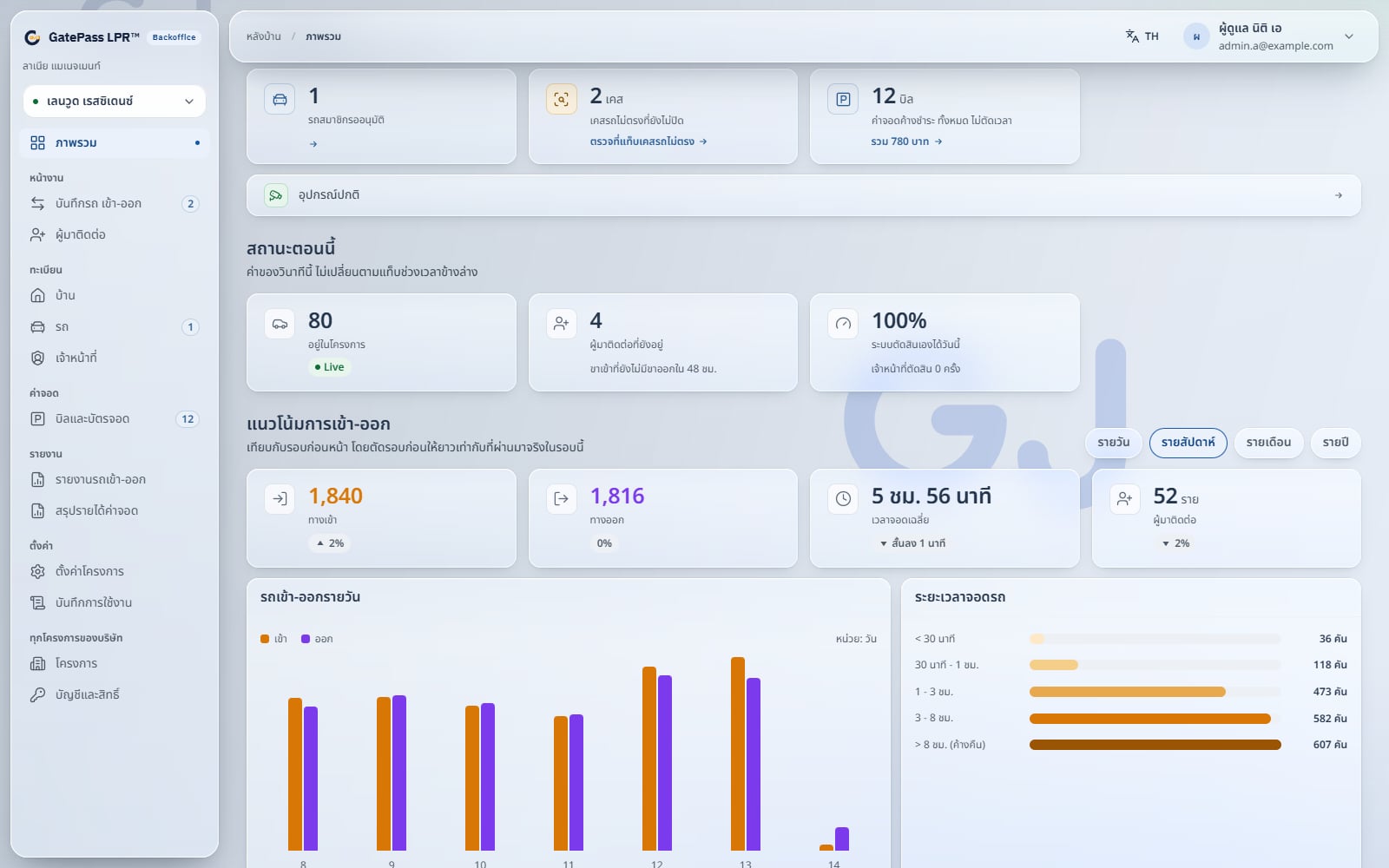
The real system with demonstration data. The guard console, the lane screens and the member app can be tried from the demo page.
Core Capabilities
Entry and exit cameras read the plate and the lane answers on the spot. A plate that does not match its slip opens a case for the office instead of disappearing.
Members, visitors, contractors and emergency opens all resolve in one engine that every screen calls, with approval status, parking rights, the anti-theft lock and visitor time windows checked in the same place.
Cars with an approval queue, suspension and a plate blacklist. The head of a household adds or disables the other members, and any member can lock a car so it cannot leave.
Members, tenant companies or the office register a visitor ahead with a plate, a time window and free parking, so the barrier already knows them on arrival.
A ticket at entry, payment by PromptPay QR on the ticket or at the lobby, then drive out. Visitor fees, member parking packages and a revenue summary come with it.
Hour coupons sold to tenant companies, issued against a plate or by scanning the QR on the parking ticket, with a ledger on both sides. A cancelled stamp returns its coupon.
Each tenant company signs in to its own portal to register visitors, issue E-Stamps, buy coupons, follow the coupon ledger and manage its own users.
Action queues for today, live status and traffic trends, an access log with CSV download, access and revenue reports, an audit log and role permissions set by the customer administrator.
Every screen included
The guard house, the barrier, the member phone and the office are not four products stitched together. They are four views of the same data, asking the same engine the same question.
Tablet in the guard house
Both lanes side by side with the decision for each vehicle, barrier control, visitor charging and requests from members. Guards sign in to a shift with their name and a 6-digit PIN, and a handheld with a built-in printer works alongside it.
Screen at the barrier
A registered car opens the barrier on its own and anyone else presses for a parking ticket. On the way out the screen shows a PromptPay QR when the plate matches a ticket that is still unpaid.
Phone
Cars in the household, the anti-theft lock, parking quota, visitor registration, E-Stamp, entry history, notifications, calling a taxi or a guard, and accounts for the rest of the household.
Desktop
Units or tenant companies, people, vehicles, visitors, parking bills, E-Stamps, staff and project settings for the office, plus a portal where each tenant company handles its own visitors and coupons.
How it works
A car pulls up. Nobody opens a book and nobody phones anyone. This is everything that happens between the bumper reaching the line and the barrier going up.
Entry and exit lanes each have their own camera. When the plate cannot be read - rain, mud, an awkward angle - the guard types it and the rest of the flow is unchanged.
The plate is matched against the project: a resident vehicle, a visitor somebody registered, or a car nobody expected.
Approval status, parking rights, the anti-theft lock, the visitor time window and the stamp are all checked in the same place - the one every screen calls.
Pass, refuse with the reason on screen, or hand it to the guard to judge. The guard is never left guessing which rule applied.
Time, lane, plate, unit and outcome are recorded, so a resident can check their own history and the office can answer a complaint with a record instead of a memory.
On site
Cameras and LED boards on the poles, the barrier the project already owns, a screen in the guard house, and one switch tying both lanes back to the server. Cloud or on-premise, the layout is the same.
Installation layout from the GatePass LPR technical pack. The LPR camera is wired up during installation, to whichever model the project already has.
Why it is worth it
The answer comes from one rulebook, not from whoever is on shift. A resident cannot talk their way past a lapsed parking right, and a guard never has to be the one refusing on their own authority.
Registering a guest, adding a car, buying parking quota and checking who came in last night are all done from the phone, at any hour, with nobody in the office awake.
The hours are counted by the system at the exit lane and the stamp clears them. Nothing depends on a guard remembering when a car came in.
Every entry, exit and refusal is timestamped against a plate and a unit, so "nobody told me" and "that never happened" both have somewhere to be checked.
Product Screens
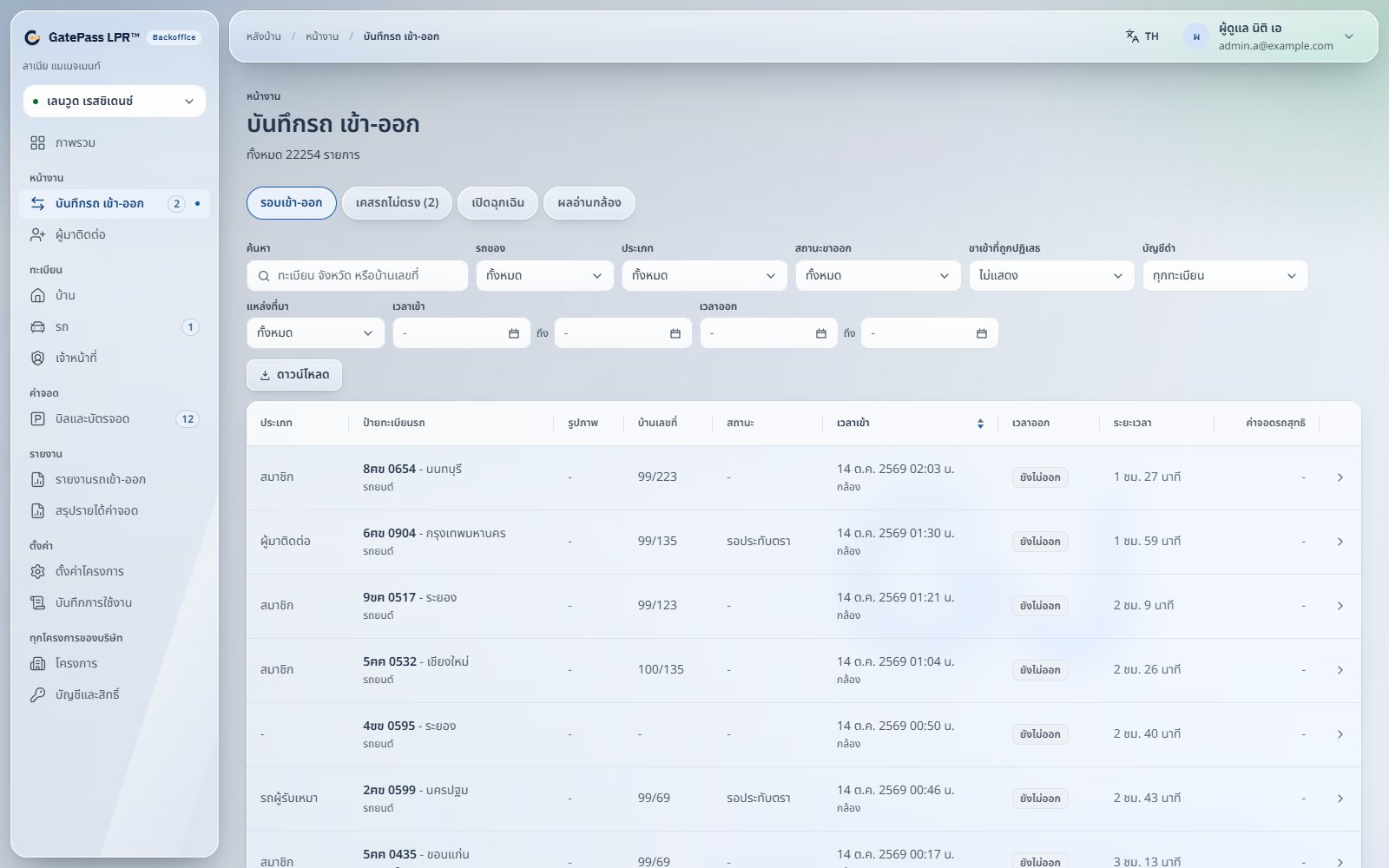
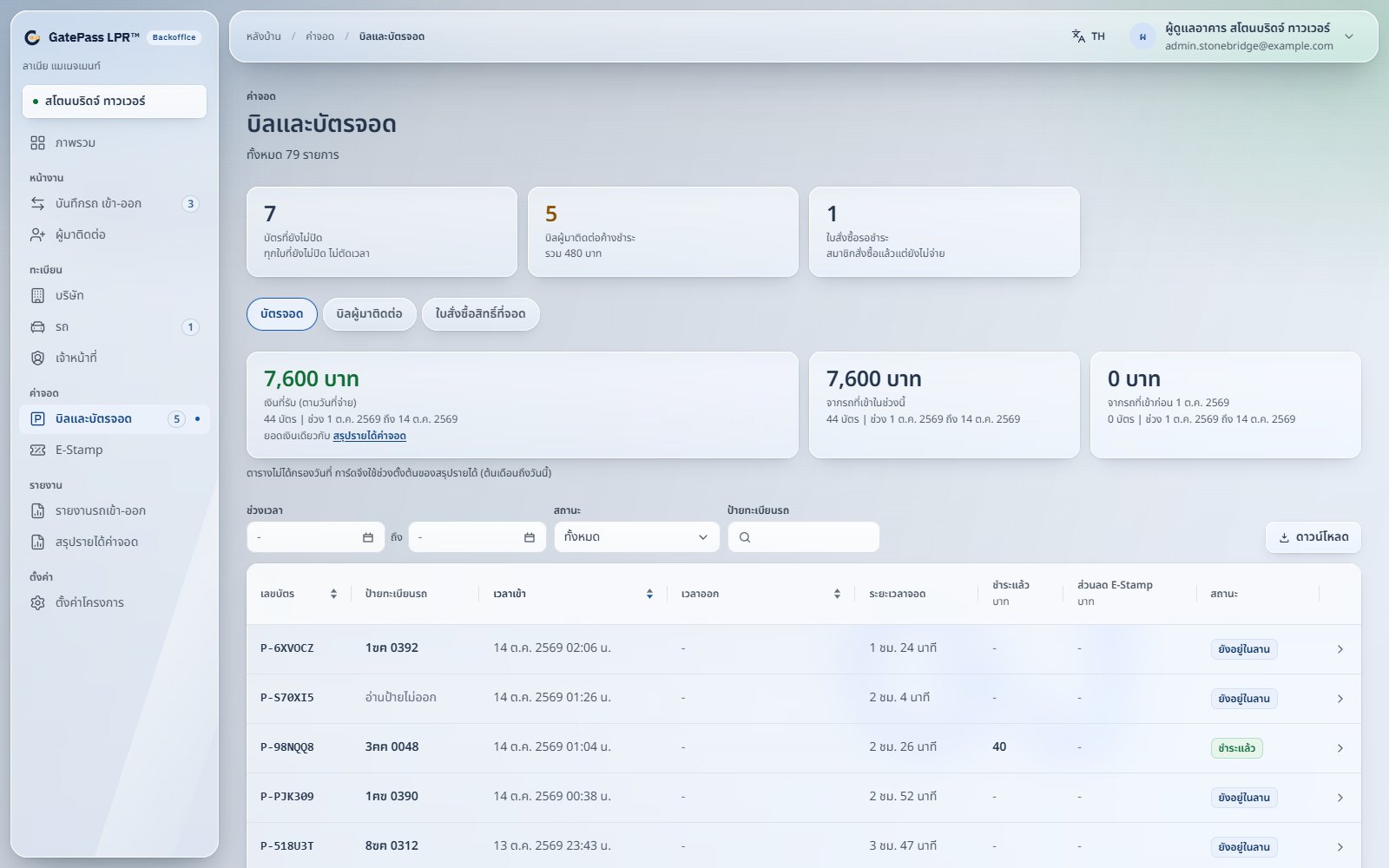
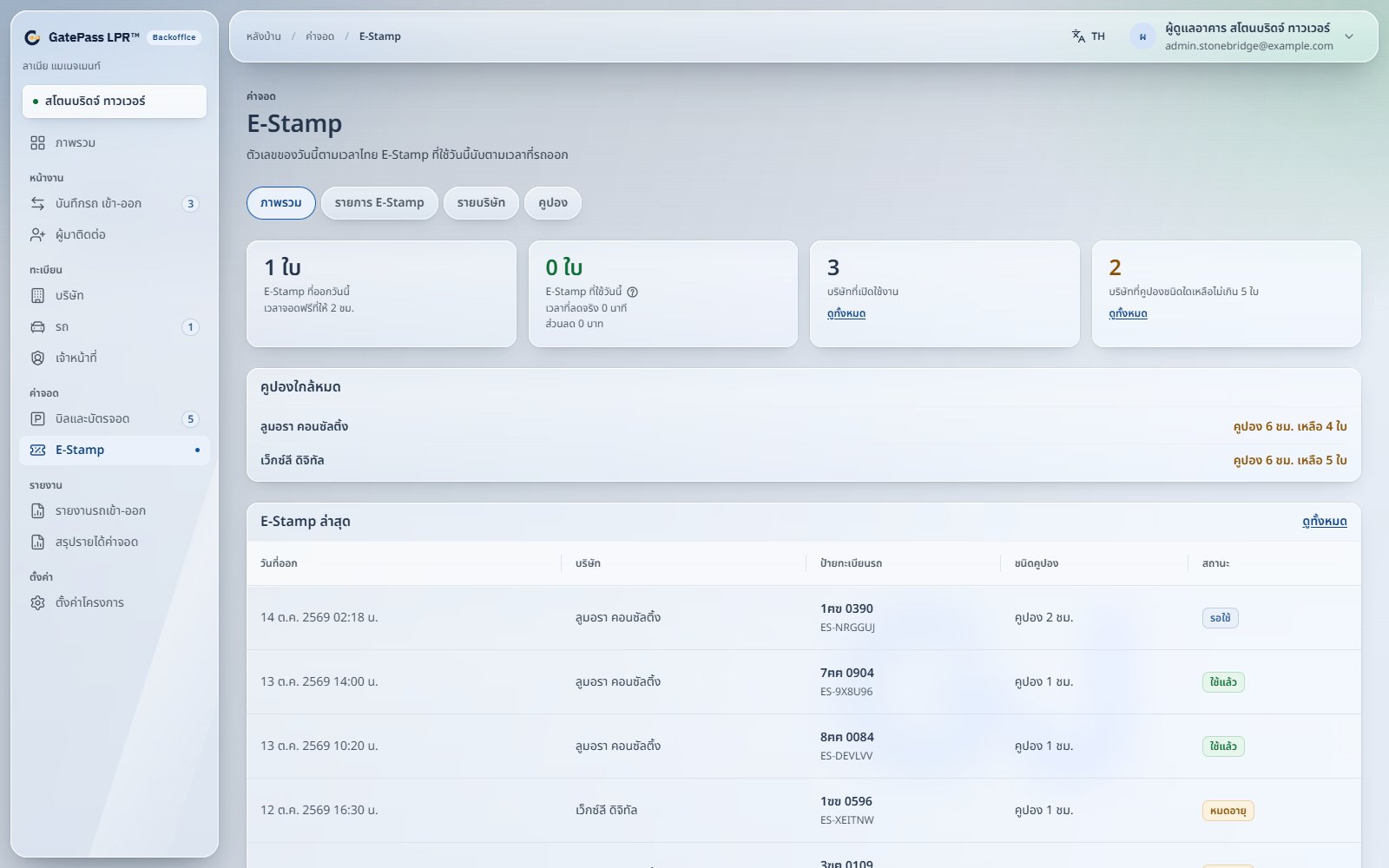
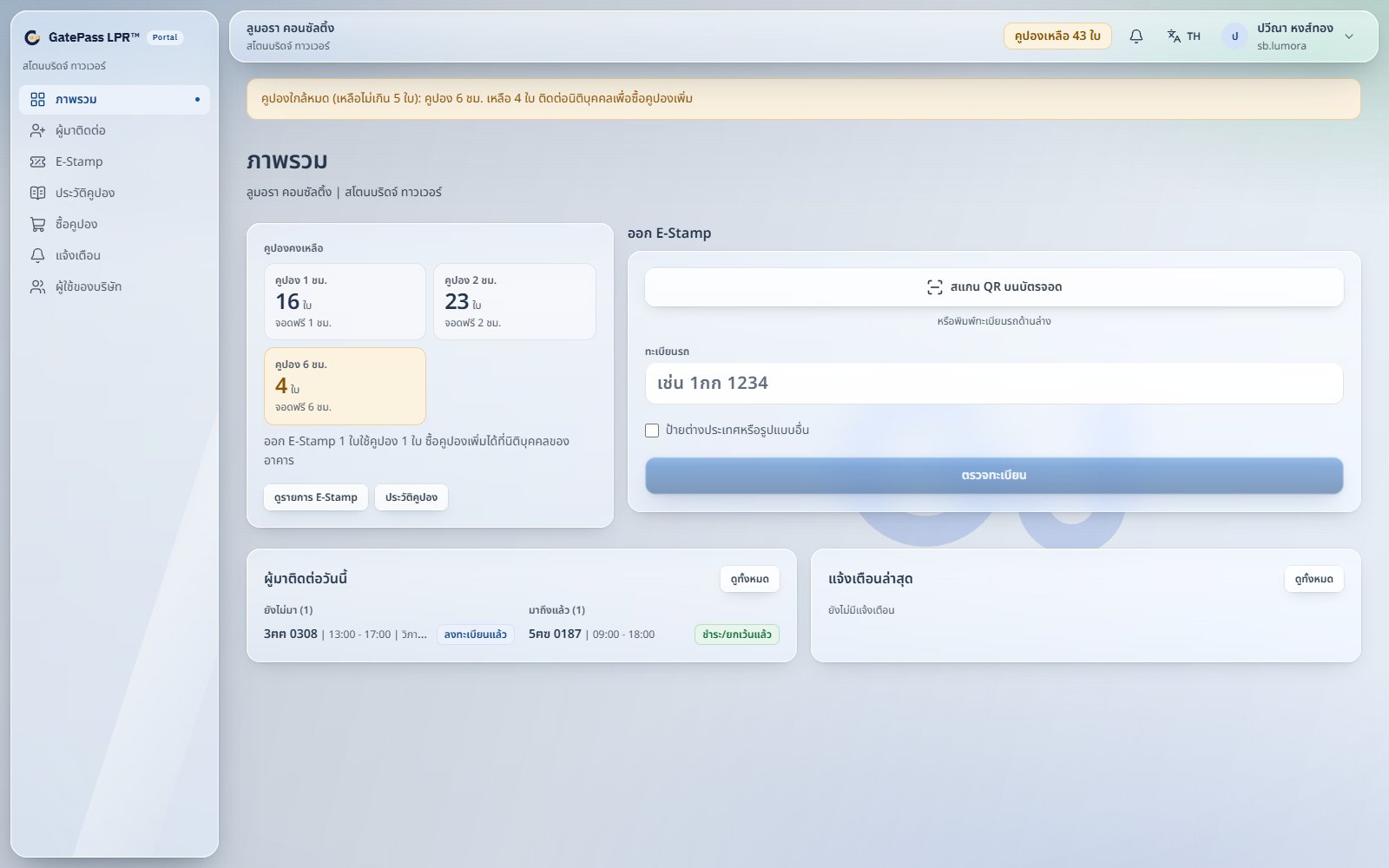
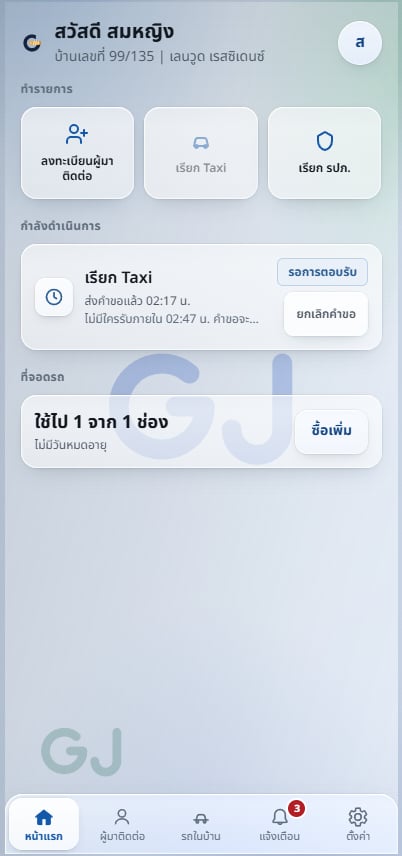
Screens show the real product interface with demonstration data only.
FAQ
Condominiums and housing estates run by a juristic person, office buildings with tenant companies, and paid car parks. The guard house, lane screens, member app, tenant portal and back office all decide from the same rulebook.
When rain, mud or an awkward angle gets in the way, the guard types the plate and the rest of the flow is unchanged.
An existing barrier can usually be reused through a relay. Supported LPR cameras are Dahua, Hikvision and ZKTeco, and other brands are assessed at the site survey. It runs in the cloud, on an on-site box, or both.
Members use the app, tenant companies use their portal, or the office registers them. Each visitor gets a plate, a time window and free parking, so the barrier already knows the car when it arrives.
Cars take a ticket at entry and pay by PromptPay QR on the ticket, in the lobby or at the exit lane screen. Tenant companies buy hour coupons and issue E-Stamps by plate or by scanning the ticket QR. A cancelled stamp returns its coupon.
Tell us how the work runs today. We will show you what can be configured, what should change, and the shortest path to a working system.