


01
Registration from the visitor's own phone
Scan the QR poster at the entrance, fill in one form, take a photo, give consent - done from a personal phone or a tablet at the counter, with no registration stand needed in this phase.
Let the pass decide who gets through the door.
GatePass VMS is a visitor and contractor management system for office buildings and factories, covering the whole flow - registration on the visitor's own phone, the contractor and tenant portal, the staff backoffice, and the turnstile display. Every surface checks the same visit record for the same answer: is this person approved, is the pass still within its time and area limit, and are they on the watchlist. A visitor whose pass expired an hour ago and a walk-in nobody invited get the same answer at every entrance, on every shift.
The real system with demonstration data. The visitor registration screen and the turnstile display open without a sign-in.
Core Capabilities
Scan the QR poster at the entrance, fill in one form, take a photo, give consent - done from a personal phone or a tablet at the counter, with no registration stand needed in this phase.
Approval turns into a QR pass on the spot, with a copy sent to email - it works at the turnstile right away, no printing required.
Every registration is matched against the blacklist by document number. A hit blocks the pass and quietly alerts staff - the person at the door is never told why.
Auto-approve, one manual approval, or a chain such as host then EHS officer - configured per site and per person type, no code change to switch it.
Name, photo and direction appear on the entry screen the moment someone passes, within about a second. When nobody's passing, it cycles the building's own posters and videos instead of sitting blank.
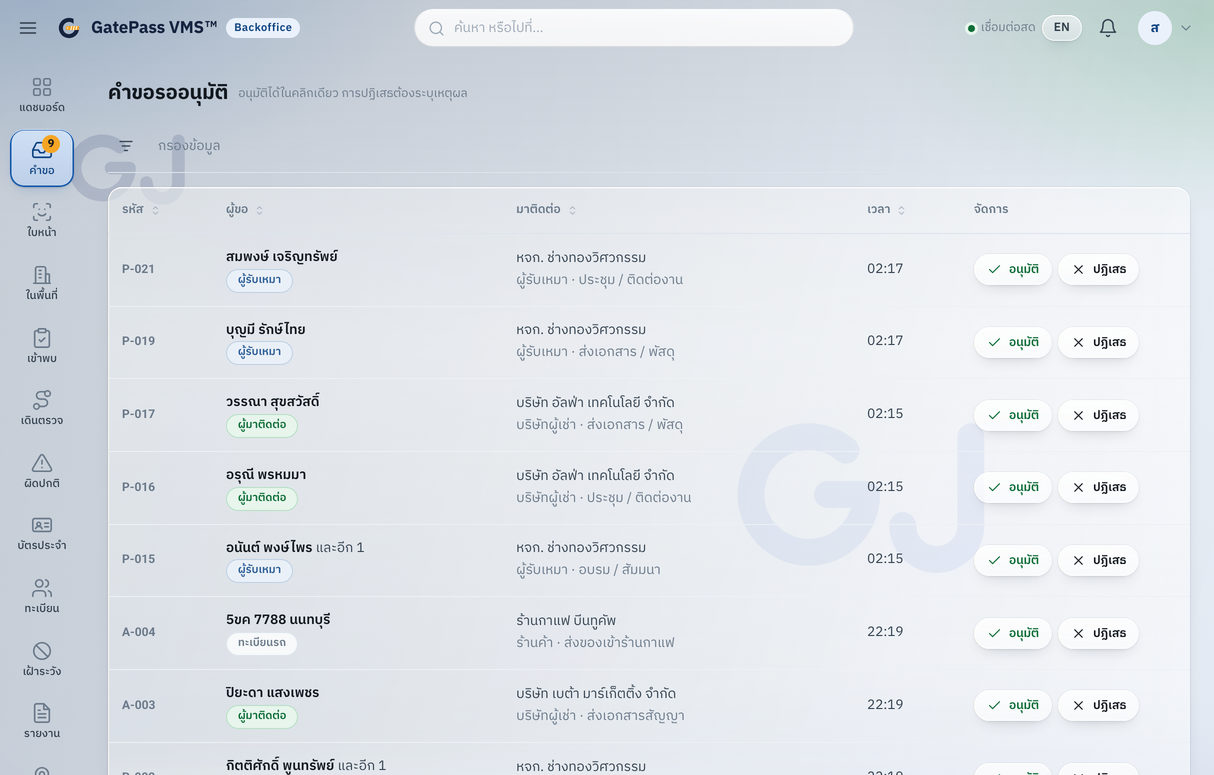
New requests, blacklist hits and offline devices show up the moment they happen over websocket, not on refresh. Staff clear the approval queue, see who's on site right now, and export filtered reports to CSV or Excel.
Company admins pre-register their own visitors or workers - one at a time or as a CSV import for a whole group - set the hours they're allowed in, and track approval status without calling the building.
Turnstiles, face terminals and other devices talk to the platform through the same interface whether real hardware is on site yet or not, so a project can go live on mock hardware today, and the same codebase carries over when the hardware and the next site arrive.
On site
A QR poster at the door, a tablet at the counter for anyone without a phone, the turnstiles the building already has, one screen at the gate, and a switch tying it back to the server. Cloud or on-premise, the layout is the same.
Installation layout from the GatePass VMS technical pack. The turnstile is connected during installation, through whichever controller or access platform the building already runs.
Product Screens
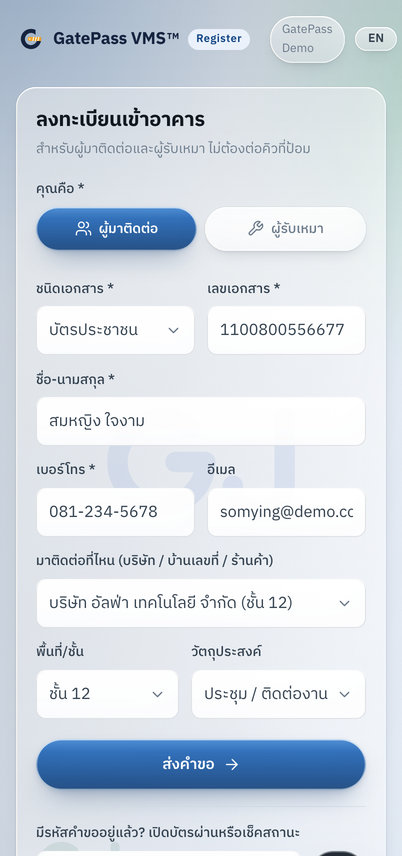
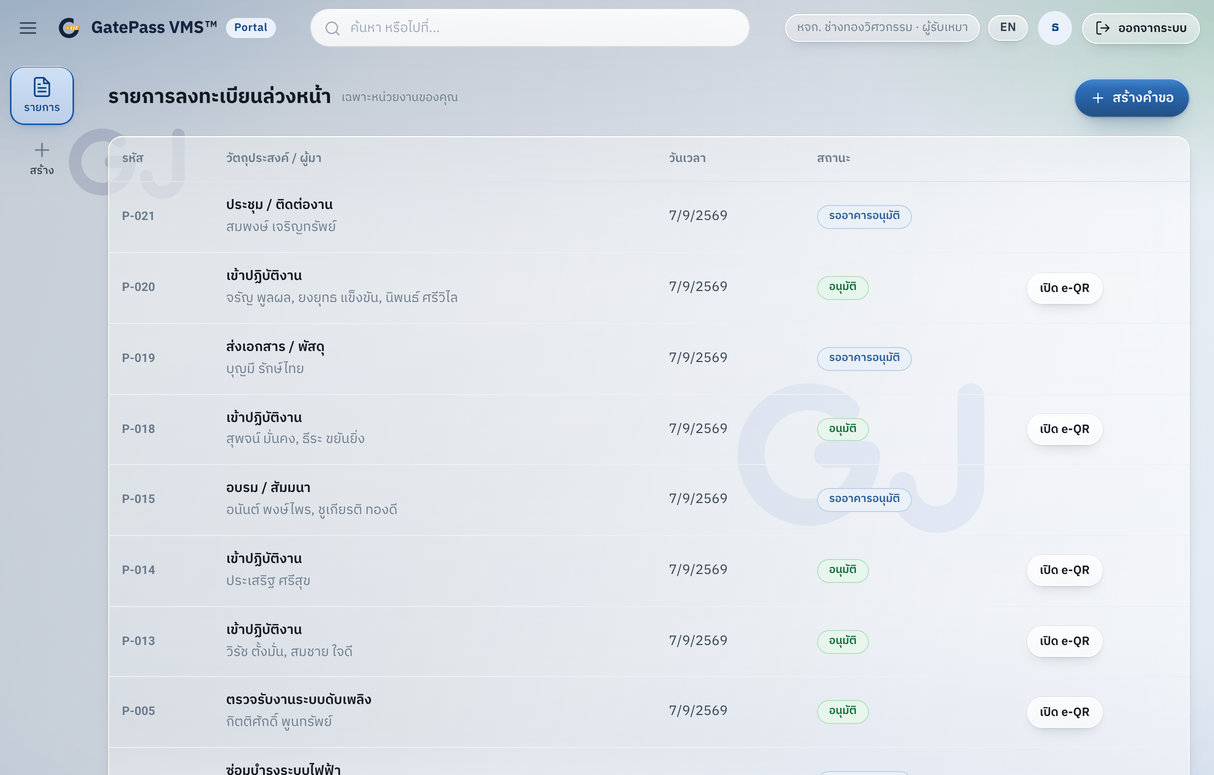
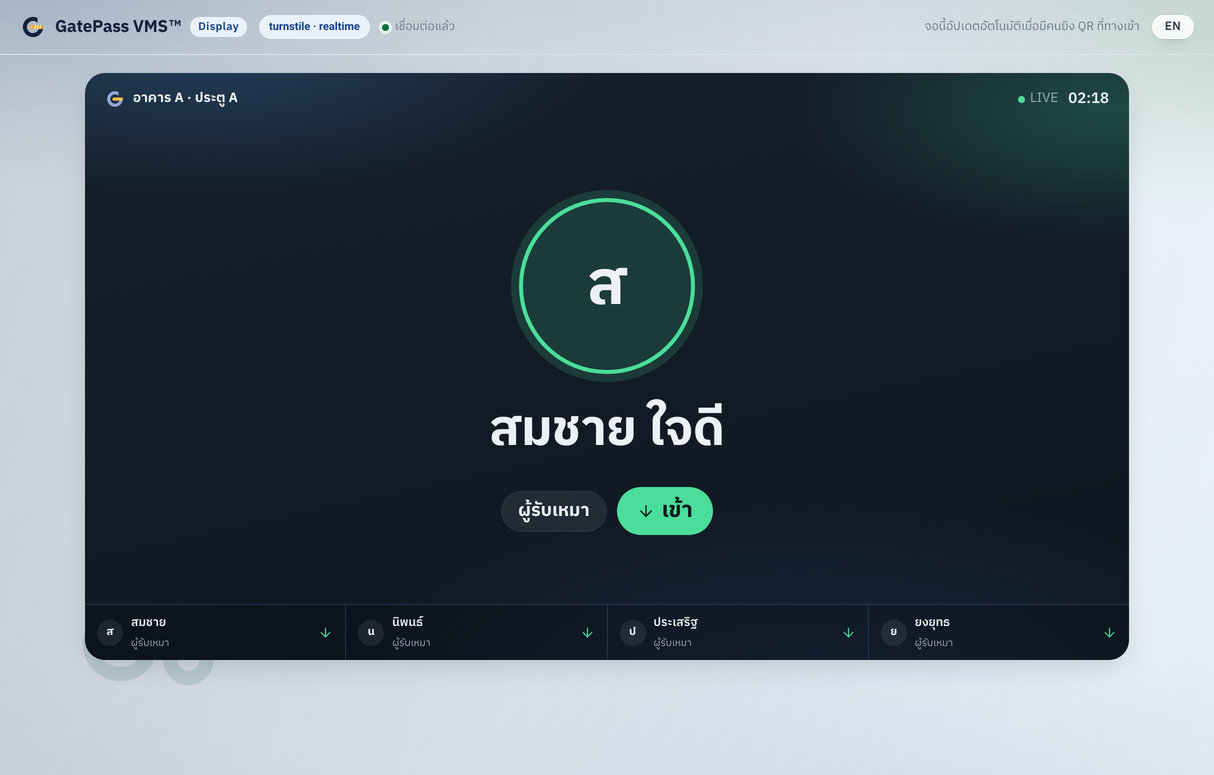
Screens show the real product interface with demonstration data only.
FAQ
No. They scan the QR poster at the entrance and fill in one web form on their own phone, take a photo and give consent. Anyone without a phone can use the tablet or PC at the counter, which runs the same web page.
Turnstiles and other devices connect through one device interface. The connector for the building’s controller or access platform (for example HikCentral) is set up for the brand on site and confirmed at the site survey, and registration and approval can go live before the hardware without rebuilding anything.
Yes. Company admins pre-register people in their portal, one at a time or as a CSV import for a whole group, set the hours they are allowed in, and track approval without calling the building.
Every registration is checked against the blacklist by document number. A match blocks the pass and quietly alerts staff. Approval can be automatic, a single manual step or a chain, set per site and per person type.
The backoffice updates in real time with new requests, blacklist hits and offline devices. Staff see who is on site now and export filtered reports to CSV or Excel.
More Products
Tell us how the work runs today. We will show you what can be configured, what should change, and the shortest path to a working system.