


01
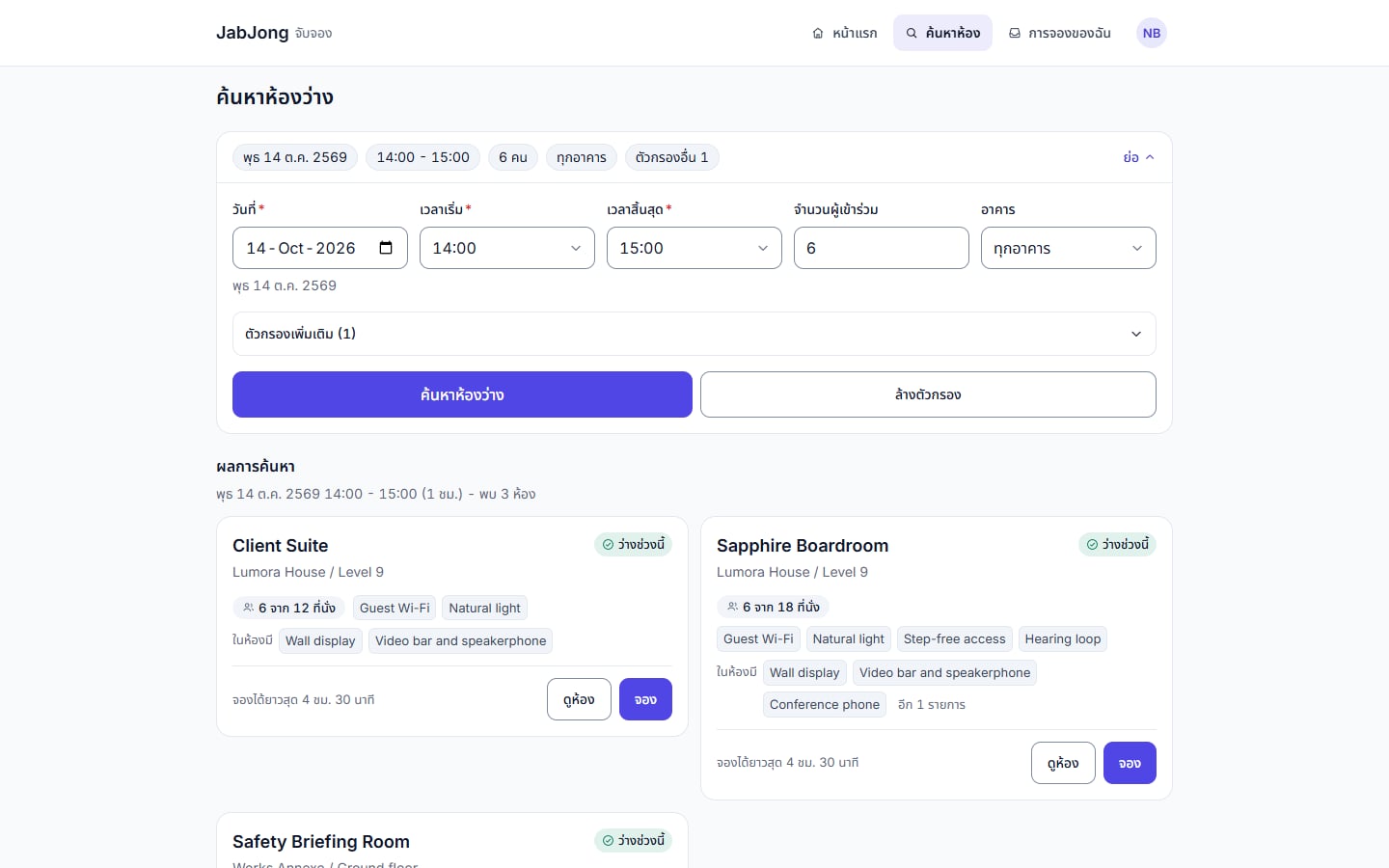
Search that fits the meeting
Pick the date, the time and the number of people, then narrow by building, floor or built-in equipment. Every result shows the seats, what is in the room and the longest booking it can take.
Book the right room, and give it back when nobody turns up.
JabJong is a meeting room booking system for an organisation with many rooms and more than one building - the employee app for finding and booking, approvals for the rooms that need them, a door panel outside each room, and a back office for facilities. Capacity, booking windows and overlaps are enforced by the system rather than by goodwill, so a boardroom double-booked through a chat thread, or a room held all morning by a meeting that never started, stops being a normal part of the week.
Core Capabilities
Pick the date, the time and the number of people, then narrow by building, floor or built-in equipment. Every result shows the seats, what is in the room and the longest booking it can take.
Each room shows its day with meetings and free slots side by side, and a free slot is booked with one click.
Add colleagues, add outside guests by their email address, mark a meeting private so others see only busy, and request microphones, laptops, coffee or lunch boxes for facilities to prepare.
Capacity and overlaps are checked by the system, and buffers, advance booking, minimum and maximum length are set once for the organisation, a group of rooms or a single room.
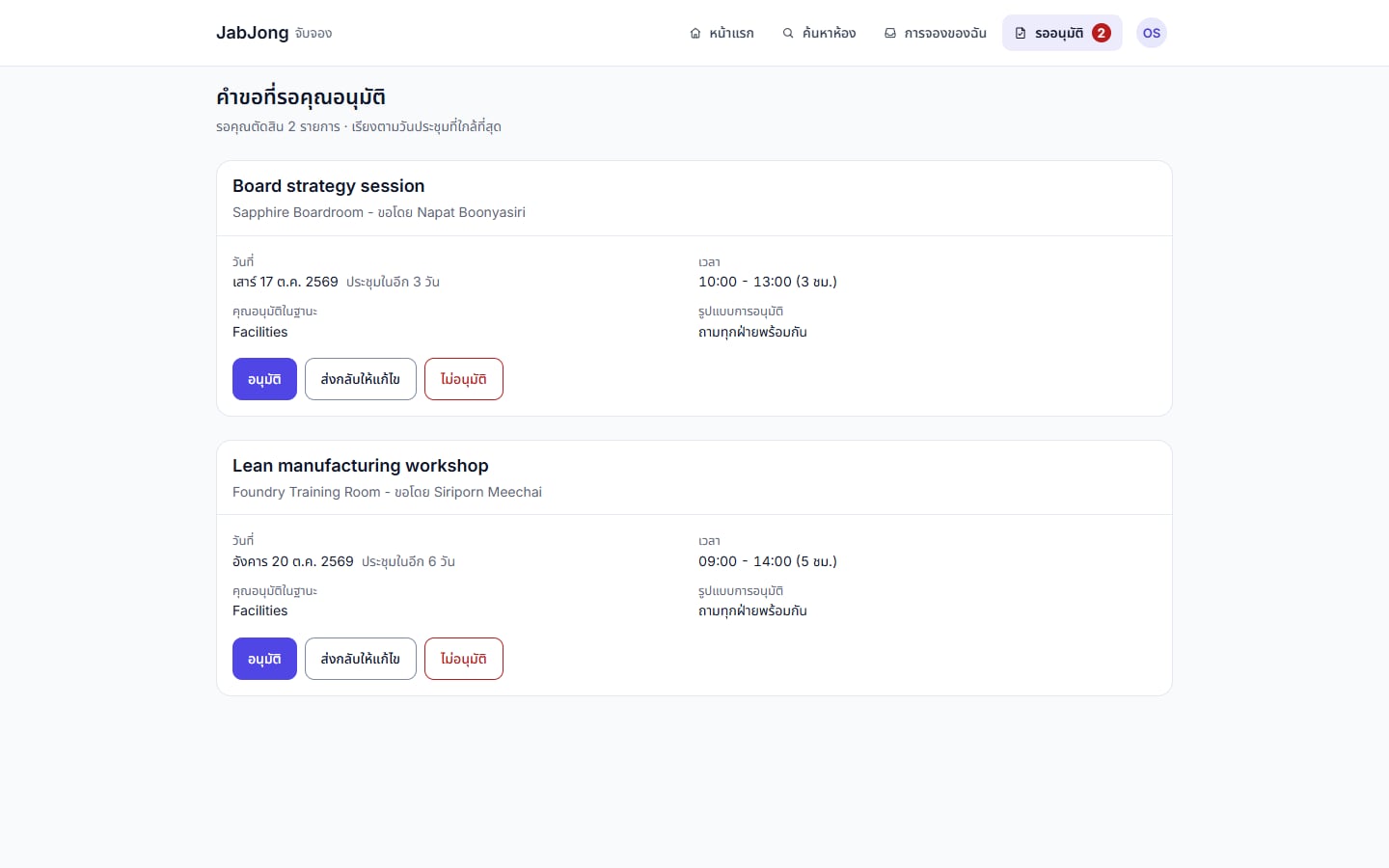
Rooms that need sign-off go to the named approvers in parallel or in order. They approve, send back with a reason or refuse, nobody approves their own booking, and an undecided request lapses at its start time.
Attendees check in by PIN or QR code at the door panel or on the phone. A booking nobody checks into is released and recorded as a no-show, so the room goes back to everyone else.
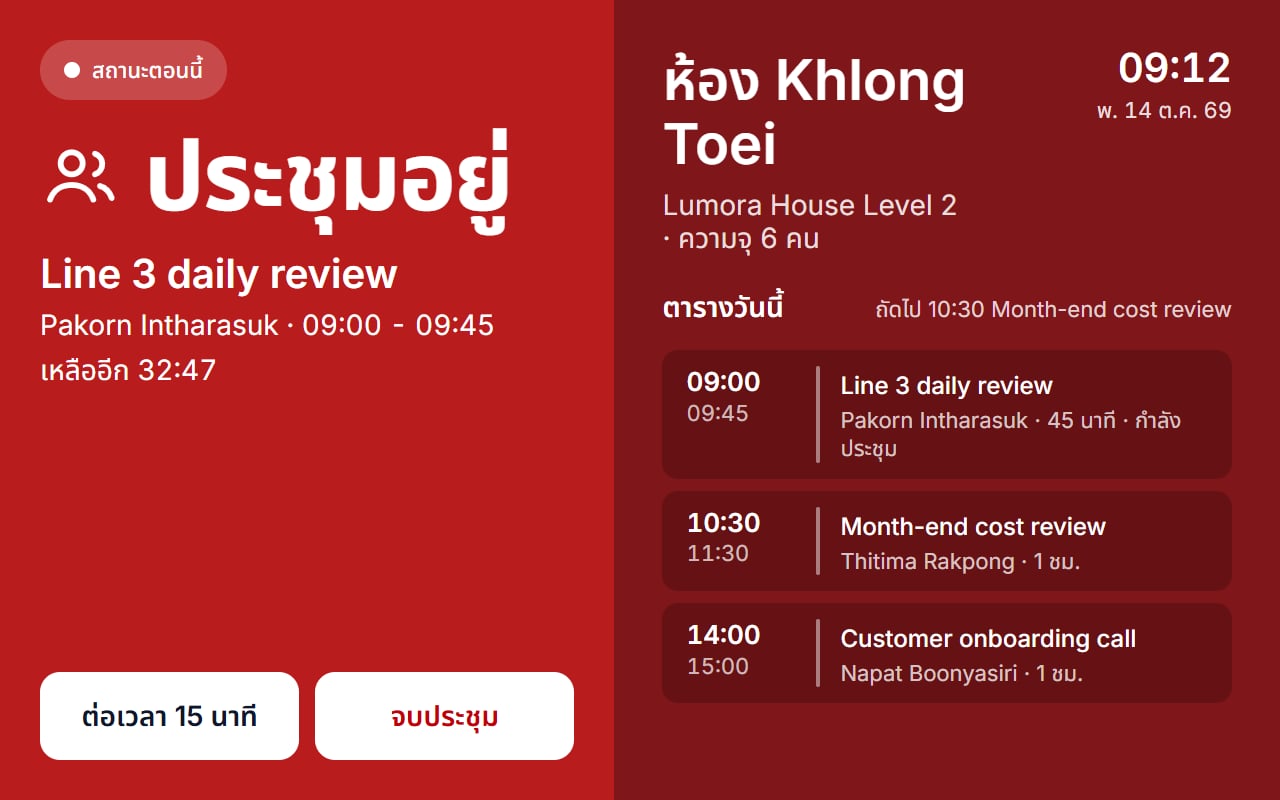
A screen outside each room shows whether it is free or in use and the rest of the day, takes walk-up bookings of 15 to 60 minutes, and extends or ends a meeting.
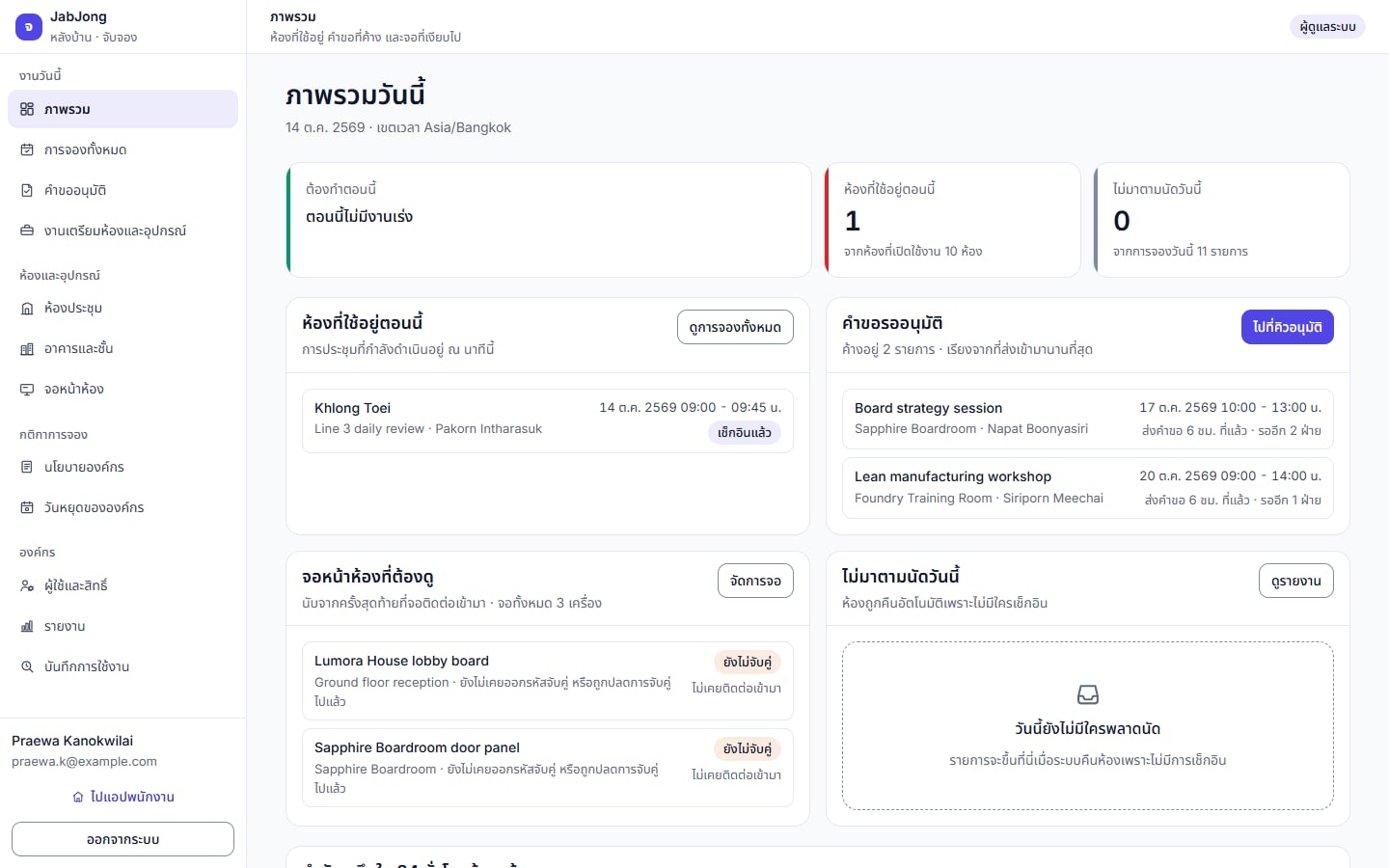
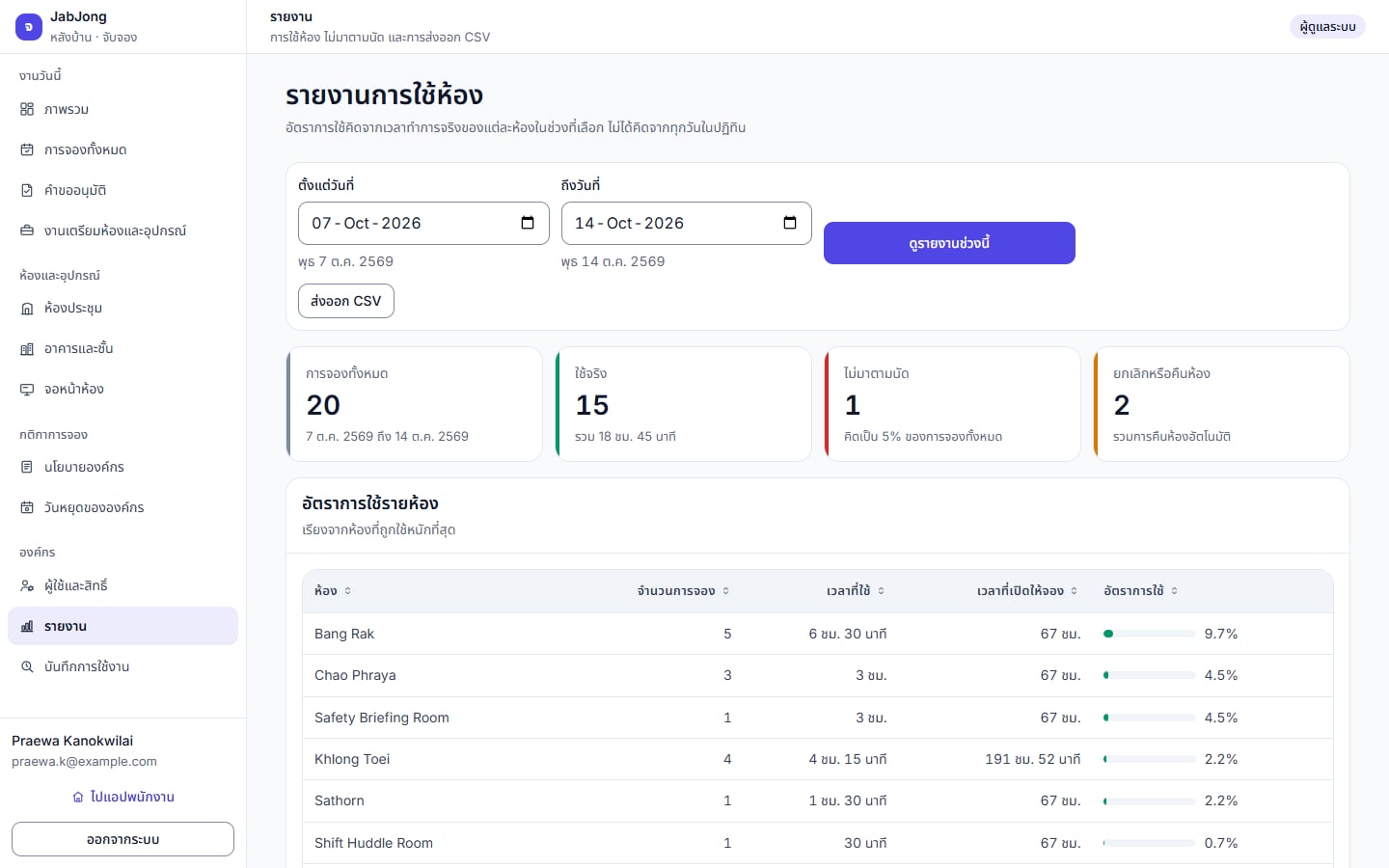
Today's overview, every booking with CSV export, the approval queue, the equipment prep queue, utilisation measured against each room's real opening hours, and an audit log. Staff can sign in with Microsoft Entra ID.
Product Screens
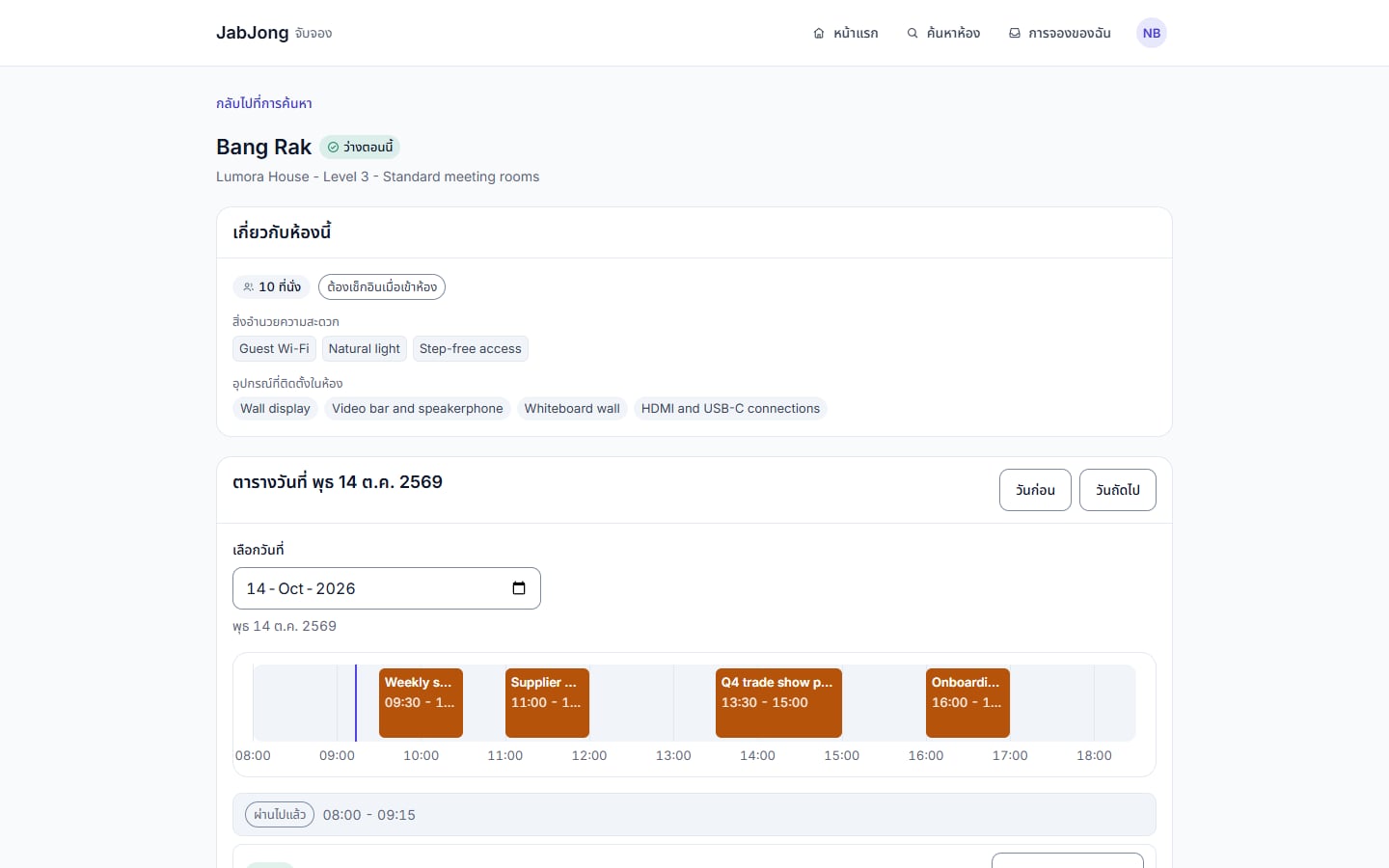
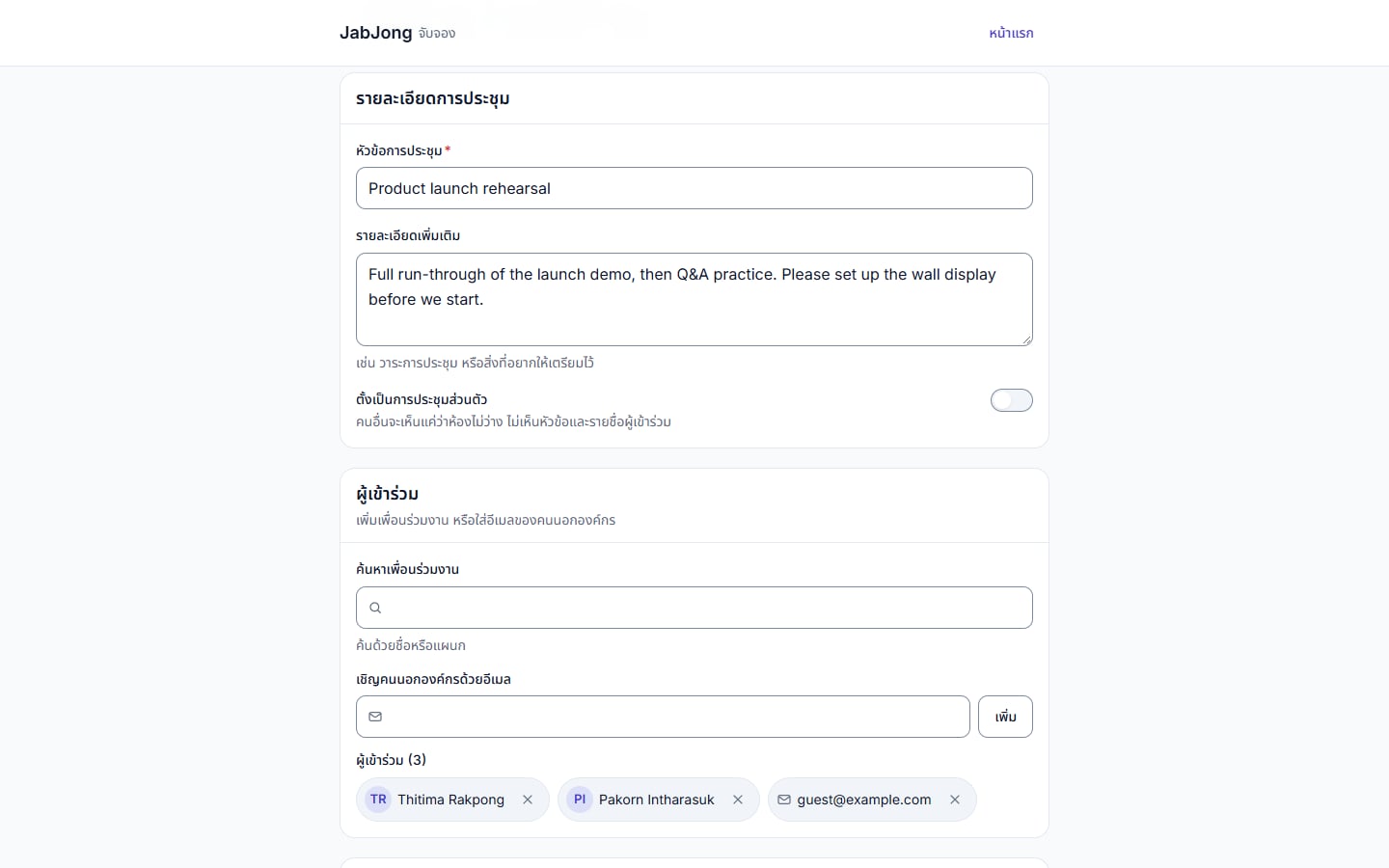
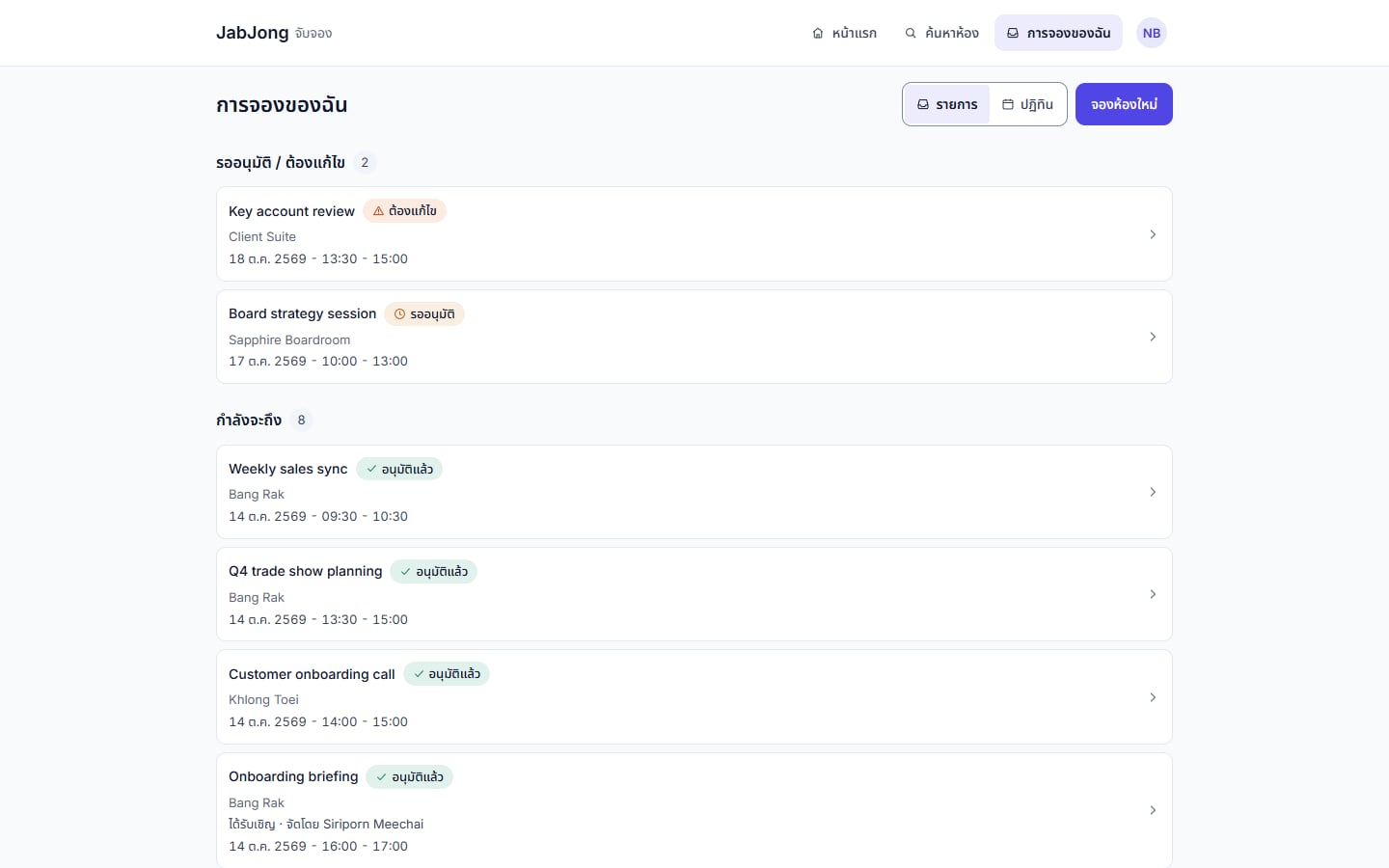
Screens show the real product interface with demonstration data only.
FAQ
Capacity and overlaps are checked by the system. Buffers, advance booking and minimum and maximum length are set once for the organisation, a group of rooms or a single room.
Attendees check in by PIN or QR code at the door panel or on their phone. A booking nobody checks into is released and recorded as a no-show, so the room goes back to everyone else.
Requests go to the named approvers in parallel or in order. They approve, send back with a reason or refuse. Nobody approves their own booking, and an undecided request lapses at its start time.
Yes. The door panel shows whether the room is free or in use, takes walk-up bookings of 15 to 60 minutes, and can extend or end a meeting.
Yes. Staff can sign in with Microsoft Entra ID.
More Products
Tell us how the work runs today. We will show you what can be configured, what should change, and the shortest path to a working system.