


Contractor pre-registration for factories: shorter gate queues and a clear view of who is on site
Good Jobs
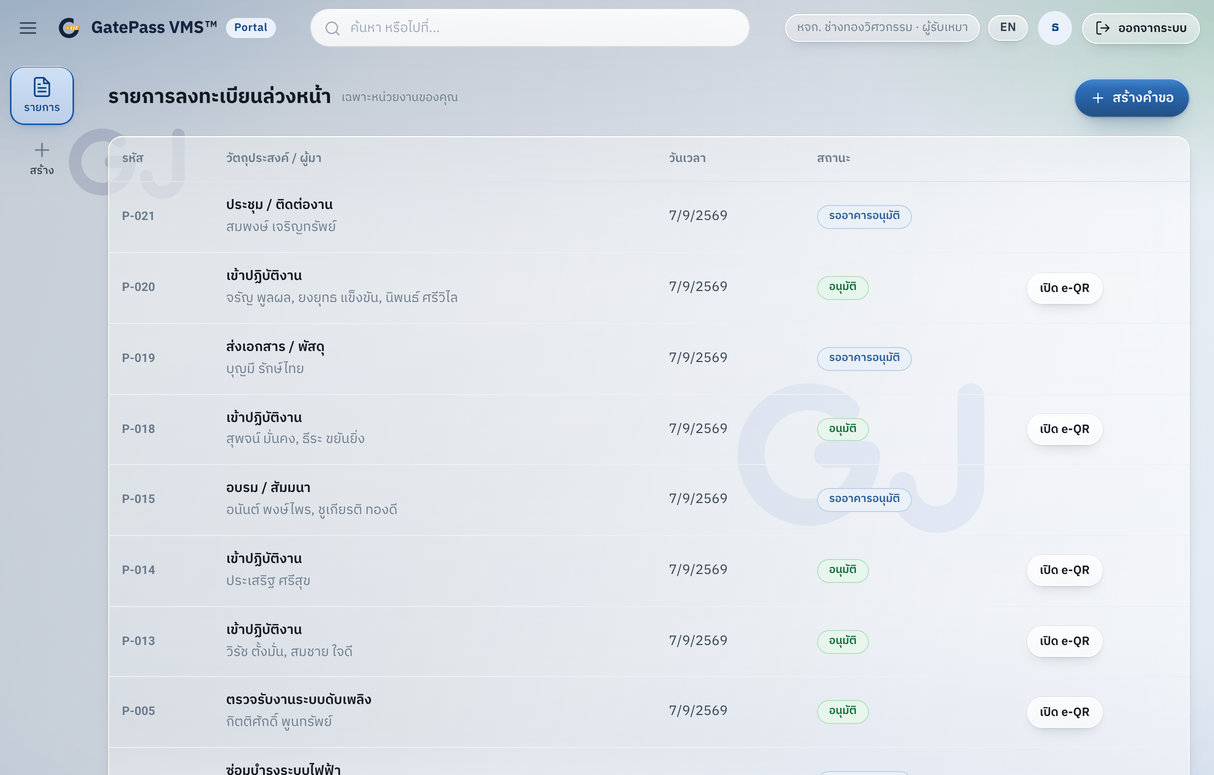
A contractor pre-registration system lets contractor companies send their workers’ names in before the work day through a portal, one at a time or as a whole group from a CSV file, with the hours each person may enter. Every name is checked against the blacklist and goes through the approval steps the site has set, for example the host first and then EHS. Once approved, the worker gets an e-QR pass that works at the turnstile straight away, with no paper form at the gate in the morning.
The gate problems this solves
- Contractor crews arrive together in the morning and queue to fill in a logbook or swap an ID card, so the whole team starts late.
- Guards cannot tell who has been approved and have to call someone inside for each person.
- People who were banned get back in because nobody checks every name every time.
- Nobody can answer how many contractors are on site right now from a paper logbook.
How contractor pre-registration works
- The contractor company admin opens the portal, registers workers one at a time or imports a CSV for the group, and sets the hours they may enter.
- Every registration is checked against the blacklist by document number. A match blocks the pass and quietly alerts staff.
- The request follows the approval set for that site and person type: automatic, a single step, or a chain such as host then EHS.
- Once approved, the e-QR pass is issued at once with a copy by email, and it works at the turnstile without printing anything.
- The contractor company tracks approval in its own portal instead of calling the site.
What about visitors who did not pre-register?
Walk-in visitors scan the QR poster at the entrance and fill in one web form on their own phone, take a photo and give PDPA consent. There is no app to install, and anyone without a phone can use the tablet or PC at the counter, which runs the same web page. Their request goes through the same blacklist check and approval steps as contractors.
What security staff see
- New requests, blacklist hits and offline devices appear in the backoffice in real time, without refreshing.
- Who is on site right now, and the approval queue still waiting.
- The turnstile screen shows the name, photo and direction of everyone passing within about a second.
- Filtered reports export to CSV or Excel from one page.
Does it work with the turnstiles we already have?
Turnstiles and other devices connect through one device interface. The connector for the site’s controller or access platform (for example HikCentral) is set up for the brand on site and confirmed at the site survey. If the hardware is not ready yet, registration and approval can go live first and the real devices connect later without rebuilding the system.
Checklist for choosing a contractor registration system
- Can contractor companies register their own workers, and import a group instead of typing each one?
- Can approval steps differ by site and person type, for example EHS for contractors but not for ordinary guests?
- Is the blacklist checked every time, and is the reason hidden from the person at the gate?
- Does the pass work at the turnstile as soon as it is approved, or does someone have to print a card?
- Do visitors have to install an app?
- Can staff see who is on site now and export reports?
GatePass VMS
Visitor & Contractor Management System