


Meeting room no-shows: fix them with check-in and automatic release
Good Jobs
The fix for meeting room no-shows that works is to make every booking check in. Attendees confirm they are there with a PIN or QR code at the door panel or on their phone. If nobody checks in, the meeting room booking system releases the room for others and records the booking as a no-show. Facilities then see real numbers on which rooms are booked and abandoned, instead of hearing that rooms are never free.
Why rooms look full when nobody is using them
- A whole morning is booked “just in case” for a half-hour meeting, or no meeting at all.
- The meeting is cancelled in chat but nobody cancels the booking.
- Executive rooms get double-booked through favours in chat because nobody owns the rules.
- Nobody knows how much each room is really used, so room decisions are guesswork.
How check-in and auto-release work
- Staff find a free room by date, time, headcount and equipment, and book it in a few taps.
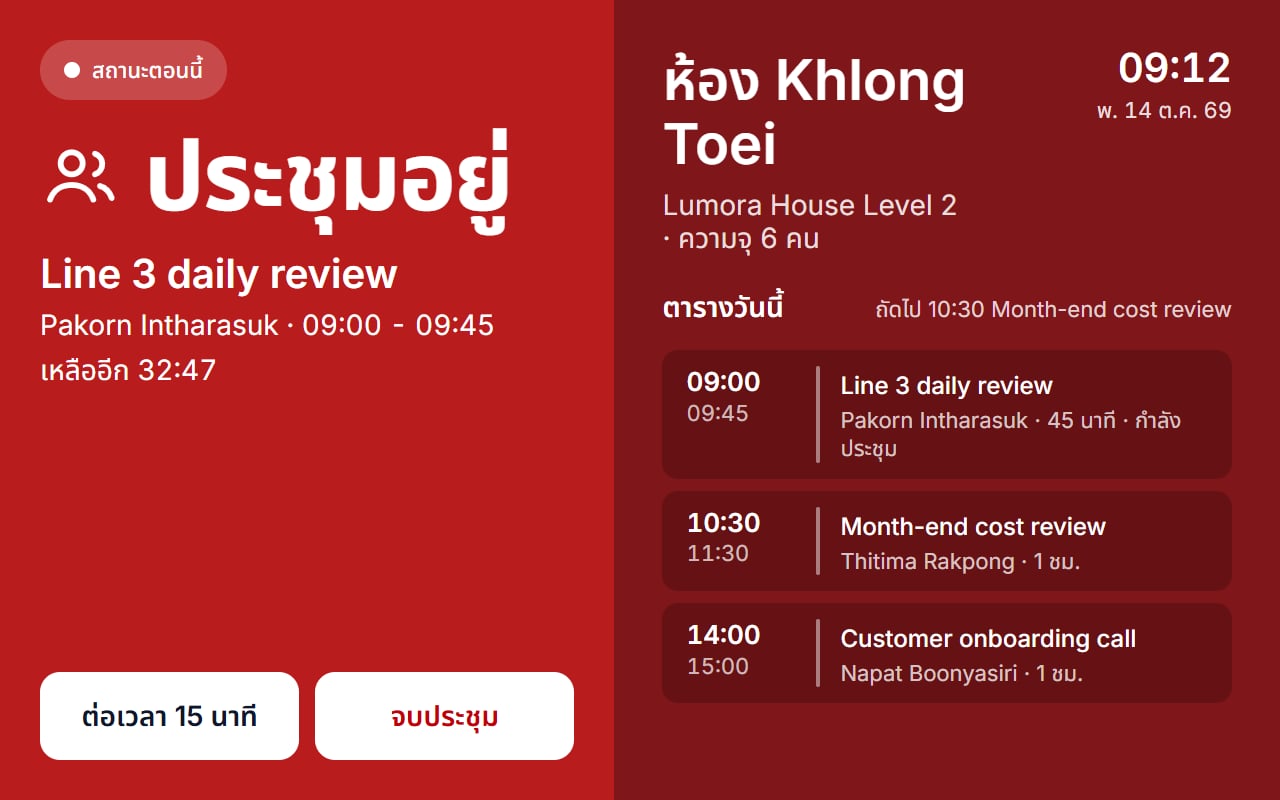
- At meeting time, attendees check in by PIN or QR code at the door panel or on their phone.
- If nobody checks in, the booking is released and recorded as a no-show.
- The room shows as free again in search and on the door panel, and anyone passing can book it at the door for 15 to 60 minutes.
- During the meeting, the door panel can extend or end it.
Rules that stop the problem at booking time
- Capacity and overlaps are checked by the system, not by politeness.
- Buffers, how far ahead people can book, and minimum and maximum length are set once for the organisation, a group of rooms or a single room.
- Rooms that need sign-off, such as executive rooms, send requests to the named approvers in parallel or in order.
- Nobody approves their own booking, and an undecided request lapses at its start time, so rooms are not held for free.
Measure it with real utilisation
Once check-in is live, read the utilisation report against each room’s real opening hours, with no-shows and cancellations alongside. Rooms that are always booked but rarely used stand out, which tells you where to change the rules, for example a shorter maximum booking or an approval step, and the data exports to CSV.
Checklist for choosing a meeting room booking system
- Is there check-in at the door or on the phone, with automatic release when nobody comes?
- Can booking rules be set per group of rooms or per room?
- Can rooms that need sign-off have their own approval chain?
- Can people book at the door as a walk-in?
- Can equipment or catering be requested with the booking?
- Is there a utilisation report against real opening hours?
- Can staff sign in with their company account?
JabJong covers every item on this list, plus guests from outside the organisation added by email, private meetings that show others only that the room is busy, and requests for a microphone, laptop, coffee or lunch boxes for facilities to prepare. Staff can sign in with Microsoft Entra ID.
JabJong
Meeting Room Booking System