AccessVisitorParking

One GatePass. Switch on what your site needs.

Reachable 24 hours by phone and LINE - free site survey

9 of 26 on

VMS module

LPR module

Parking and fees

Residents and back office

Handheld Start with one Handheld and a SIM. Guards register guests at the gate and residents know straight away when someone is coming. No cameras yet; add plate-reading cameras and other modules later. Try Residence

Estimated rent

From about 1,490 baht / month

36-month contract. Includes one Handheld and a SIM. Excludes cameras, barriers, other hardware, installation and VAT. This is an estimate; your quotation has the final price.

Extra Handheld or POS

0

One is already included

Prefer to buy outright? From 47,000 baht, including one Handheld. Call 092-664-5416 or contact us for details.

Request a quote

Real installation work by our team

King Mongkut's Institute of Technology Ladkrabang (KMITL)

Campus access control: cameras and license plate cameras at the gate, and a visitor and vehicle management system. Equipment installed on site alongside the software work.

See the full project
  • Two gate lanes with barrier arms and lane markings
  • A barrier and camera post at a gate lane with a car approaching
  • The system Live View screen showing several gate camera feeds

Choose the package for your site

Split by who the visitor came to see. Every package is the same GatePass with different modules switched on.

Whether people come to visit a home, a company in the building, or just to park, GatePass records every person and every car in one place. Guards register visitors quickly, the camera reads the plate and the barrier opens on its own for cars that are allowed in, and the office can look anything up later. It runs in the cloud, on an on-site box, or both, and works with most existing barriers.

Want visitors to register themselves by QR instead of leaving an ID card at the gate? See GatePass VMS visitor management.

For the whole flow from the guard house to residents' phones, see GatePass Residence for housing estates and condos.

For paid car parks with no cashier, from the entrance kiosk to the driver's phone, see GatePass Pay Park car park payment.

Want the barrier to open by itself only for residents and registered guests? See GatePass LPR license plate recognition barrier.

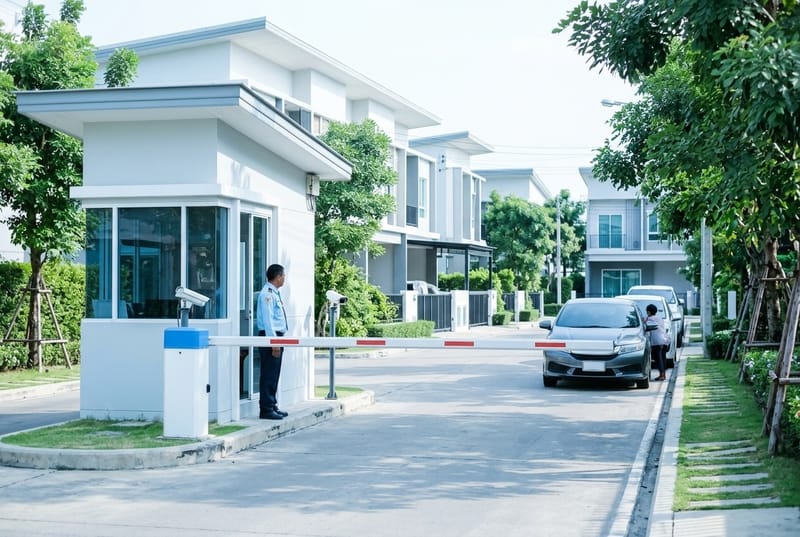
  • Guard booth and barrier at the entrance of a housing estate, with a car driving in

    GatePass Residence

    A guard house system for housing estates and condos. Guards register guests on one handheld, and residents know straight away when someone is coming.

    Best for: housing estates, condominiums and apartments

    • VMS at the gate (handheld that prints a QR slip)
    • pre-registration
    • resident stamp
    • visitor parking fees
    • Residence App, or LINE for sites without the app
    • LPR for resident cars (Pro)

    17 of 26 on

    Try Residence
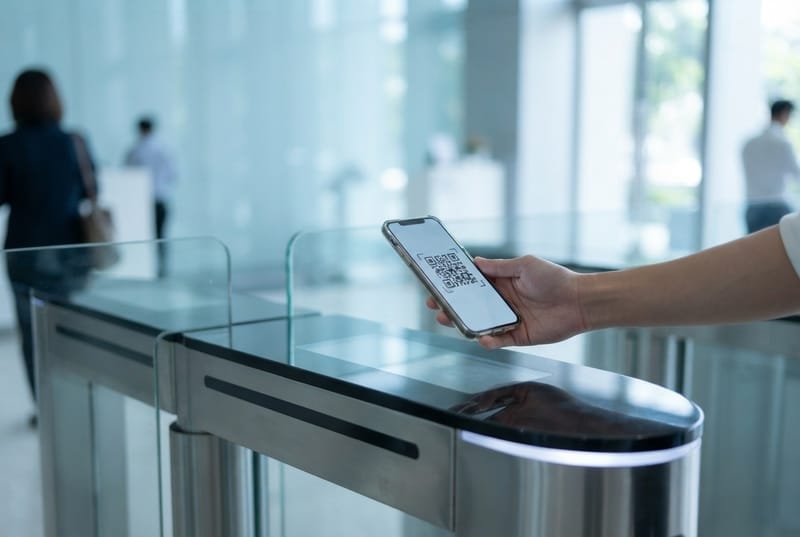
  • Office building lobby with a visitor at a turnstile and the reception desk behind

    GatePass Building

    Visitors and parking for buildings with many companies. Each company runs its own visitors, E-Stamps and parking coupons, and the building office sees everything in one back office.

    Best for: office buildings, malls, hospitals, mixed-use sites and factories

    • VMS (phone registration)
    • LPR
    • tenant company portal
    • company E-Stamps and coupons
    • paid parking

    21 of 26 on

    Try Building
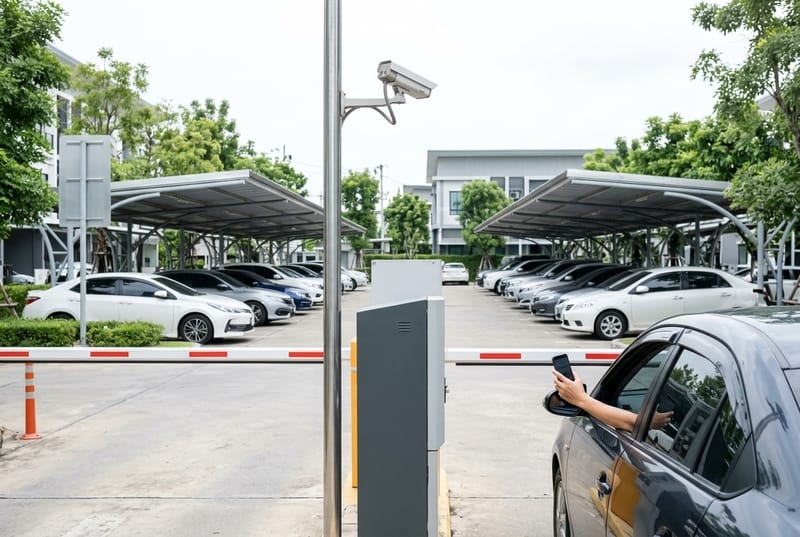
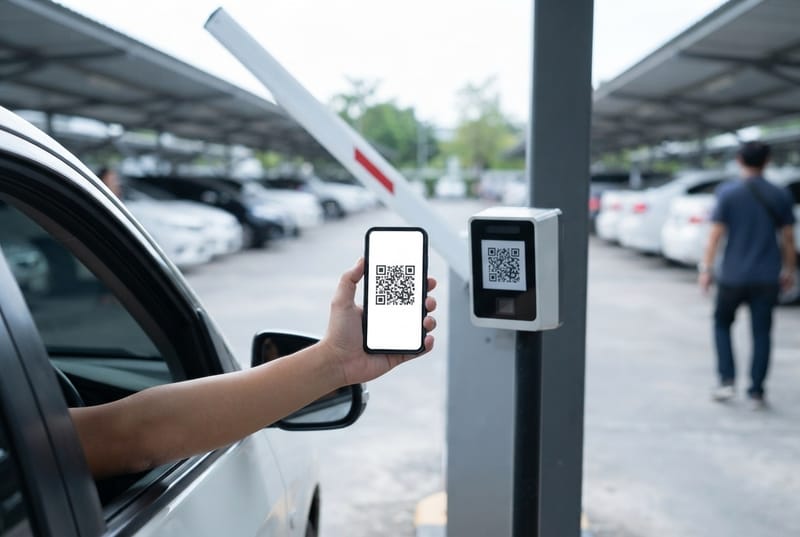
  • Open-air car park with a barrier and a camera pole, a driver holding a phone out of the car window at the exit

    GatePass Pay Park

    An hourly paid car park with nobody on site. Take a slip on the way in, pay on your phone, drive out.

    Best for: private paid car parks

    • LPR
    • paid parking
    • PromptPay QR
    • unattended mode

    10 of 26 on

Not an exact fit? Start from the closest package and switch modules on or off.

Talk to us

Why GatePass

What goes away

  • Holding visitors' ID cards at the guard house; the guard photographs the card and hands it back
  • Flipping through a logbook to find out who came in and when
  • Guards phoning residents or tenants one by one to ask who is expected
  • Guessing what time a visitor's car arrived; the system counts it at the exit
  • Visitors walking their parking ticket to a counter to get it stamped
  • Counting parking coupons by hand at the end of the month
  • Residents calling the office to add a guest or a car
  • A gate that stalls when the camera cannot read a plate; the guard types it in
  • Paying someone to sit in a car park booth; drivers pay on their own phone
  • Same answer on every shift

    The result at the gate comes from one set of rules, not from whoever is on duty. The guard is never the one deciding alone.

  • Faster through the gate

    Cars with access go straight through, a guest at the guard house is registered on one screen, and visitors who registered themselves drive in by plate once approved.

  • A record every time

    Every entry, exit and refusal has a time, a plate and a unit, ready to look up or download in the back office.

How it works

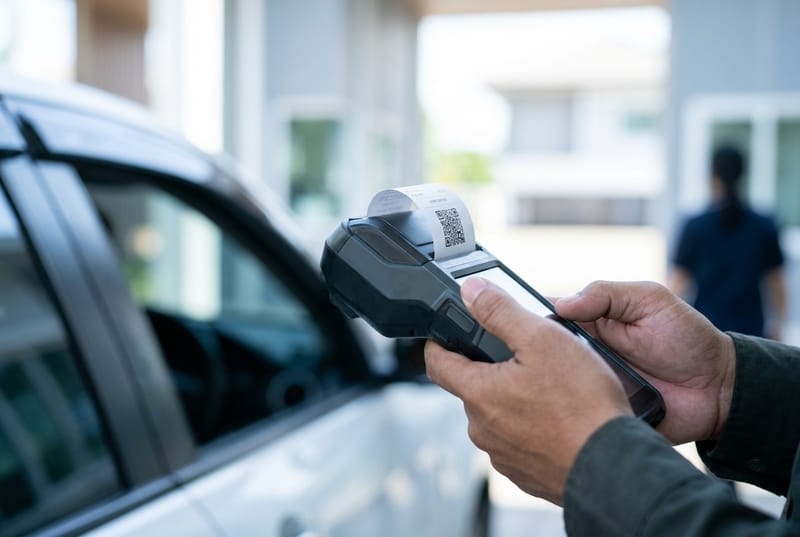
  • A guard holding a handheld device that prints a QR slip for a guest arriving by car

    Residence - a guest drives in to visit a home

    1. Stopat the barrier
    2. Snapthe guest's ID card, then hand it back
    3. Printa QR slip from the handheld
    4. Confirmthe resident confirms on their phone
    5. Scan outtime and fee are worked out for you

    Residence - resident cars (Pro)

    1. Drive upto the barrier
    2. Plate readmatched against the estate's cars
    3. Barrier opensno remote needed
  • A visitor holding a phone with a QR code to scan at a building turnstile

    Building - a visitor drives in and registers on the phone

    1. Scanthe QR code to open the form
    2. Fill inname, company, plate and who they are visiting
    3. Waitsite staff approve in the back office
    4. See the resulton the phone straight away
    5. Drive inby the registered plate

    Building - a visitor drives in to see a company

    1. Take a ticketat the lane screen
    2. Get stampedthe company issues an E-Stamp
    3. Paythe rest by PromptPay
    4. Drive outplate read, barrier opens
  • A driver holding a phone with a QR code out of the car window at the car park exit

    Pay Park - a driver comes to park

    1. Take a slipQR from the entrance kiosk
    2. Parkas long as you need
    3. Scan and payPromptPay on your own phone
    4. Drive outplate read, barrier opens

Entry and exit by package

Open any situation to see what the guard, the visitor and the system do at each step.

GatePass Residence

A. Visitor car registered at the gate (handheld)
  1. The car stops at the barrier.
  2. The guard types the house number, photographs the visitor's ID card and hands it straight back.
  3. Picks the visitor type and taps "Register and print".
  4. The handheld prints a QR slip for the visitor to carry.
  5. The barrier opens and the household is told someone is coming, in the Residence App or by LINE with a photo of the car.
  6. The resident confirms the visitor on their phone with a resident stamp, or the office confirms from the back office.
  1. The visitor hands the slip to the guard.
  2. The guard scans the QR (if the slip is wet or torn, the number on it can be typed instead).
  3. The screen shows entry time, time parked, confirmation status and the entry photos to compare with the car in front.
  4. If the estate charges for parking, the fee follows the office's rates and is paid in cash or by PromptPay QR.
  5. An exit photo is taken and the barrier opens.
B. Resident cars and pre-registered guests (Pro, with cameras)
  1. The car reaches the barrier.
  2. The camera reads the plate.
  3. The plate is matched to the site: a resident car, a guest someone registered, or a car nobody expected.
  4. Approval status, parking rights and the guest's time window are checked.
  5. Pass and the barrier opens on its own, even if the internet drops; or refuse with the reason on screen, or hand it to the guard.
  6. Time, lane, plate, unit and result are recorded.
  1. The exit camera reads the plate.
  2. The check runs again, including the anti-theft lock. A locked car does not get the barrier.
  3. On a pass the barrier opens and the exit is recorded.

GatePass Building

C. A visitor who arrives by car registers on the phone
  1. The visitor scans a QR code and the registration page opens in the browser, with no app to install.
  2. Enters name, company, plate, province and vehicle type, and says who they are visiting.
  3. The request waits for site staff to approve it in the back office.
  4. Once approved, the visitor sees the result on their phone straight away.
  5. At the barrier, the car gets in by the plate that was registered.
  1. The exit camera reads the plate and the barrier opens.
  2. The back office shows which cars are still on site.
D. Visitor car in the building's paid car park
  1. If the company pre-registered the car, the barrier already knows it.
  2. The camera reads the plate; a car that was not registered presses for a ticket at the lane screen.
  3. The barrier opens.
  • The company being visited issues an E-Stamp in its portal by plate or ticket QR, and the free hours come out of its coupons.
  1. Anything still owed is paid by scanning the ticket QR with PromptPay, or in the lobby.
  2. If it is still unpaid at the exit lane, the screen shows a PromptPay QR.
  3. Once paid, the camera reads the plate and the barrier opens.

GatePass Pay Park

E. Unattended car park
  1. The entry camera reads the plate.
  2. The driver presses for a slip at the kiosk, printed with the plate, entry time and a QR code.
  3. The barrier opens.
  1. Scan the QR on the slip with your own phone and pay by PromptPay QR, straight into the car park owner's account.
  2. After paying there are 15 minutes to drive out.
  3. The exit camera reads the plate and a paid plate gets the barrier on its own. An unpaid one scans the slip and pays first.
  • The camera cannot read the plate: hold the paid slip's QR to the reader at the exit.
  • Lost slip: search by plate and pay from the entry time the camera recorded, with no penalty.
  • The car park owner can open the barrier remotely, with a reason.

Notifications and back office

Who gets told what

  • Residents (Residence, in the Residence App or by LINE)

    • Your visitor has entered, with plate and time
    • Your visitor was refused, with the reason
    • Your car was refused at the gate, with the reason
    • Your taxi or guard request was accepted, cancelled or timed out
    • A parcel has arrived at the guard house
  • The estate office (Residence)

    • A daily summary in LINE every morning
  • Tenant companies (Building, in the portal)

    • A guest the company pre-registered has arrived, with plate and name
  • Visitors who register themselves

    • The approval result on their phone
  • Building staff (Building, in the back office)

    • New registration requests
    • A device that has gone offline
  • Car park owners (Pay Park)

    • Notifications by LINE
  • Every package

    • On-site box health, for installs with a box

What the back office shows

  • Today's to-do list, live status and the weekly traffic trend (all packages)
  • The access log by round, with emergency opens and camera reads in their own tabs (all packages)
  • Visitors still on the estate (Residence); cars on site now and the approval queue still waiting (Building)
  • Tickets still parked, unpaid bills and revenue collected (Building, Pay Park)
  • E-Stamps issued today, companies running low on coupons, and the coupon ledger on both sides (Building)
  • Cars parked now, parking rates and remote barrier opening (Pay Park)
  • An audit log of every back office user (all packages)

At the guard house (handheld)

  • Visitor cars still on site, and the ones over their time
  • Reprint a slip if the visitor lost it

Downloads and reports

  • Access log as CSV
  • Traffic, revenue and unknown-plate reports, exportable to Excel, CSV or PDF
  • A monthly report compared with the previous month, with a two-page PDF for the village committee (Residence)
  • Parking revenue by guard and by shift (Residence)
  • Filtered visitor reports as CSV or Excel (Building)
  • Car park owner reports, exportable to Excel (Pay Park)
  • The GatePass member app home screen
  • The GatePass company portal - coupon balance, issuing E-Stamps and today's visitors
  • The GatePass access log

Screens show the real product interface with demonstration data only.

What comes with GatePass

GatePass Residence

Visitor registration with plate and ID photos and a printed QR slip / resident alerts (Residence App or LINE) / resident stamp / visitor parking fees / estate office screen / banned-plate and overstay alerts on the guard screen / reports and audit log / Pro adds plate cameras on 2 lanes
Guard screen on the handheld / estate office screen / Residence App or LINE
Homes and plates from Excel
Before every install

GatePass Building

VMS / LPR / tenant company portal / company E-Stamps and coupons / paid parking
Guard console / lane screen / back office / company portal
Before every install

GatePass Pay Park

LPR / paid parking / PromptPay QR / unattended mode
Entrance kiosk screen / pay page on the phone / owner back office
Before every install

Who it is for

GatePass Residence

  • A guard standing by the booth and barrier at a housing estate entrance

    Housing estates

    Guards register guests on one handheld, the office sees who is still inside, and the existing barrier and remotes keep working.

  • Condominium entrance with a barrier and a guard counter beside a glass building

    Condominiums and apartments

    Residents register guests, manage their cars and buy parking rights from the Residence App.

  • Guard booth and barrier in front of a small hotel with palm trees

    Small hotels

    Guards register cars at the gate and can see which ones are still parked.

GatePass Building

  • Car park ramp of an office building with a guard booth and a barrier

    Office buildings

    Each tenant company registers its visitors, issues E-Stamps and buys parking coupons from its own portal.

  • A visitor at a turnstile in the lobby of a large building

    Malls, hospitals and mixed-use sites

    Cars take a ticket on the way in and pay by PromptPay QR on the ticket, in the lobby or at the exit lane.

  • A truck waiting at a factory gate with a guard booth and a barrier

    Factories and industrial estates

    Companies pre-register their guests' cars in the portal, so the plate-reading camera knows each car before it arrives.

GatePass Pay Park

  • A barrier and a kiosk at a car park exit, a driver holding a phone out of the car window

    Private paid car parks

    Nobody on site. Drivers pay by PromptPay on their phone and the barrier opens for plates that have paid.

Frequently asked questions

How are Residence, Building and Pay Park different?

It comes down to who the visitor came to see. Residence is for estates and condos, where guests visit a home. Building is for buildings where visitors go to a tenant company. Pay Park is for paid car parks with nobody on site. All three are the same GatePass with different modules switched on.

Are VMS and LPR separate systems?

No. Both are GatePass modules. VMS handles visitors, and LPR reads plates and runs the barrier. Either can sit in any package.

Do residents have to install an app?

Not necessarily. On sites with the Residence App, residents manage cars, guests and parking rights there. On sites without it, residents get alerts and register guests through the LINE they already use.

Do guards have to hold on to visitors' ID cards?

No. The guard photographs the card on the handheld and hands it straight back. Visitors who arrive by car can also register on their own phone, with no app to install, and wait for site staff to approve.

Can we keep our existing barrier and cameras?

An existing barrier can usually be reused through a relay. ZKTeco LPR cameras work today, and other brands are assessed at the site survey. It runs in the cloud, on an on-site box, or both.

What happens when the camera cannot read a plate?

Rain, mud or an awkward angle: the guard types the plate and the rest of the flow carries on as normal. At an unattended Pay Park lot, the driver holds the paid slip's QR to the reader at the exit.

How can parking be paid?

By PromptPay QR on the ticket or slip, in the lobby or at the exit lane screen. On an estate, the guard can take cash or PromptPay QR on the handheld. A tenant company can issue an E-Stamp to cover the free hours, and if it stamps the wrong car, cancelling returns the coupon.

See how GatePass fits your gate

Tell us how your guard house runs today and which barrier or cameras you already have. We will tell you which package is closest, what connects as it is, what needs adding, and confirm it at the site survey. Or try each package's demo first; everything in it is demonstration data.

Reachable 24 hours by phone and LINE - free site survey